
How to Search the Yellow Springs Court Docket
Begin with the venue, not a name or case number. Check the citation, summons, or notice. See which court it names. Official materials place Yellow Springs inside the territory of Xenia Municipal Court. Separate village materials point to a Yellow Springs Mayor's Court and Traffic Violations Bureau. The Yellow Springs court docket route therefore depends entirely on that document. No single Ohio trial-court portal can safely replace this venue check.
Does the paper name Xenia Municipal Court? Then use the Xenia public-access, CourtView, and daily-docket channels. Does it name the village Mayor's Court or Traffic Violations Bureau instead? Start with the village clerk route, since the village offers no standalone online search form. For a matter that has moved past the local court, use the County clerk's CourtView and records channels. Confirm the case actually belongs there first.
- Read the court name, citation number, and appearance date printed on the Yellow Springs document.
- Use the Xenia Municipal channel if Xenia is the named court, or contact the village clerk when the document names Mayor's Court.
- Search the named court's public docket or calendar for the citation, case number, or party information it accepts.
- Check the latest dated entry and compare it with the written notice before acting on a Yellow Springs setting.
- Call the owning clerk when no online result appears, the venue is unclear, or a copy is needed.
Yellow Springs Citation Venue First
Yellow Springs sends two official court signals. Ignore neither one. Xenia Municipal Court lists Yellow Springs and Yellow Springs Police within its territory. Village documents, separately, refer to a Mayor's Court and Traffic Violations Bureau. The citation itself is the reliable routing document. It identifies which court owns the charge, parking matter, or ordinance issue on that page.
This is a practical distinction, not a technicality. A search in the County's Common Pleas portal can miss an active Yellow Springs municipal case. A call to Xenia may not answer a Mayor's Court question. The court name on the citation settles it. Let that name guide every docket search, payment, calendar check, and copy request.
Note: A Yellow Springs address or police agency name alone does not establish which court holds the docket.
The Yellow Springs Municipal Court
There is no separate Yellow Springs Municipal Court counter. Nor is there an independent municipal portal for the village. Instead, Xenia Municipal Court lists Yellow Springs in its territory. It handles the municipal route for Yellow Springs traffic, ordinance, misdemeanor, civil, and preliminary-felony matters it owns. That assignment explains how a Yellow Springs case can show up in a Xenia system without ever becoming a County Common Pleas case.
Xenia Municipal Court posts its public-access and daily-docket links through its court hub. Yellow Springs users can confirm a court date through the clerk at (937) 376-7294 during office hours. Calls stop after 3:30 p.m., though. The court's public materials do not display every live form filter. So do not assume a particular name or ticket field exists. Check the actual court interface before relying on it.
Yellow Springs Mayor's Court Clues
Village material identifies the Mayor's Court and Traffic Violations Bureau at 100 Dayton Street. The village publishes (937) 767-3400 as its contact. The official document also lays out a Yellow Springs fine-schedule process. It covers traffic, parking, and criminal categories. What it does not give you is a current Mayor's Court judge, a current calendar, or a working online docket form. Those gaps matter whenever a citation names the village venue.
The Yellow Springs Mayor's Court and Traffic Violations Bureau material is the official village source. It gives this separate local signal. It points to contacting the village clerk or office with the citation in hand. The Xenia court site may not display every Yellow Springs village record. Do not assume it will.
Treat these figures as historical, partial-year context rather than a current caseload total. They simply show why a Yellow Springs court search must leave room for a village traffic and parking channel.
Yellow Springs Court Dates and Settings
For a Yellow Springs case sitting in Xenia Municipal Court, work in order. Read the latest docket event first. Check the linked daily docket when available. Then call the court if the date affects an appearance. The Xenia court hub links both a Municipal Court Daily Docket and CourtView. The published text does not spell out every daily-docket control. So use the date or case information the actual interface shows rather than assuming some unlisted advanced filter.
A Yellow Springs court date can shift after a notice goes out. The confirmation chain runs in steps. It goes from the most recent docket entry, to a published calendar where available, to the court clerk, to the written notice itself. One more thing to know: a continuance request does not move a Yellow Springs setting on its own. A later order or notice controls.
| Date | Use the latest Yellow Springs citation, written notice, or docket event, then confirm it with the named court. |
|---|---|
| Time | Read the time on the Yellow Springs notice or the municipal calendar entry where it is displayed. |
| Court location | The citation identifies the Yellow Springs venue or the Xenia Municipal Court route; do not infer it from the village address alone. |
| Judge | Use the case notice or calendar if a judicial officer is shown; the reviewed Xenia public text does not list every live calendar field. |
| Setting type | A hearing, arraignment, or other setting label is an event indicator, not the complete case outcome. |
Yellow Springs Lacks Online Docket
Yellow Springs has no standalone online docket-search form of its own. That is not a dead end. It just sends you to whichever office actually keeps the record. A Xenia Municipal case lives in Xenia's public-access and calendar tools. A Mayor's Court matter goes through the village clerk. That is the documented fallback for this channel.
When a Yellow Springs docket search comes up empty, check the spelling first. Also check the court named on the papers. Timing matters too, and so do restrictions. CourtView usually reflects the prior business day and keeps some protection-order cases off the internet. A sealed record can explain a missing result. So can a juvenile restriction or a later County case.
Yellow Springs Traffic Tickets
Pay a Yellow Springs traffic ticket at the court named on it. No exceptions. If that court is Xenia Municipal, the Violations Bureau lets you settle an eligible nonappearance violation by the published payment route before your appearance date. A moving violation adds one requirement. You must prove insurance covered the vehicle at the citation's date and time. Where the stop happened changes nothing, and paying an unrelated court gains you nothing.
The Xenia Violations Bureau instructions allow qualifying citations to be paid in cash or by credit card in person, or by mailed money order. A card convenience fee applies to the card route. Xenia also posts an after-hours City Hall depository. It takes a citation, payment, and insurance packet together. Want to contest the Xenia case instead? Skip the waiver payment and follow the appearance date, or call the Xenia clerk first.
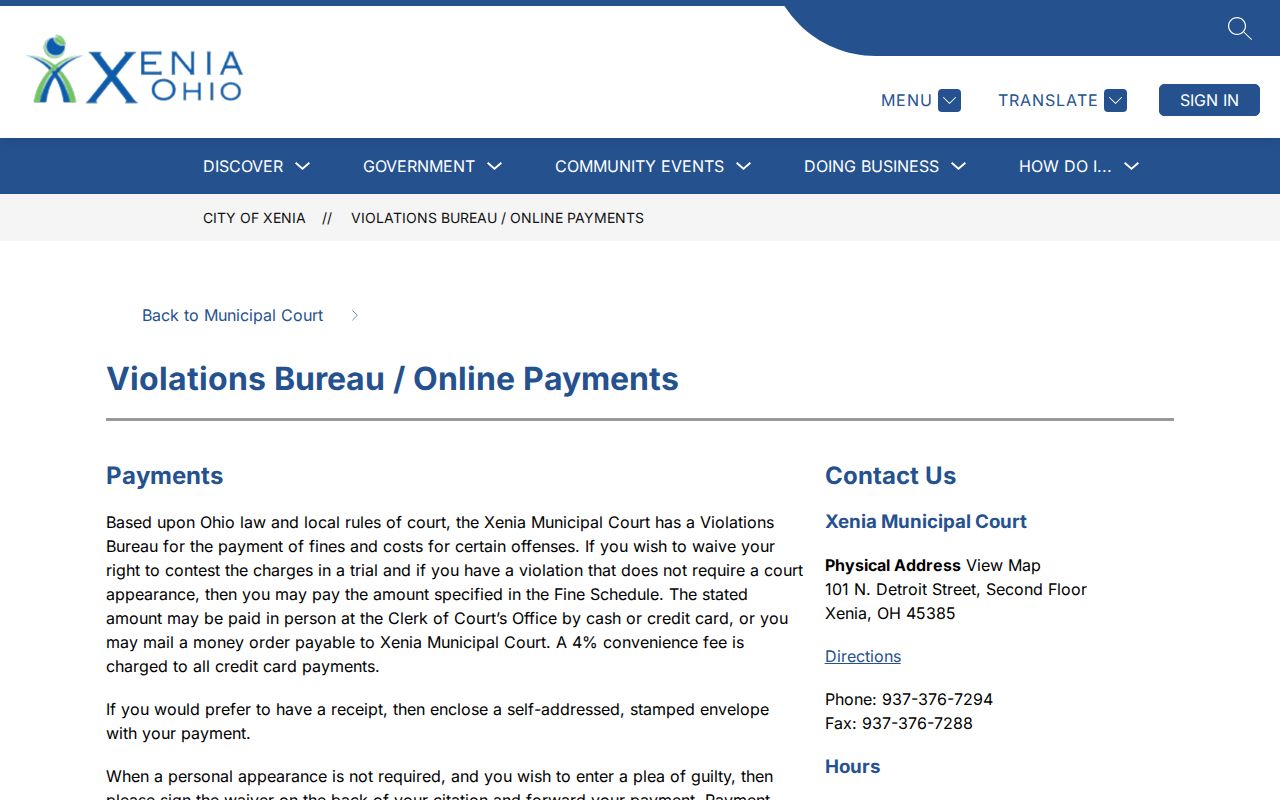
That Xenia payment channel works only when the Yellow Springs citation names Xenia Municipal Court and the published waiver conditions are met. A Yellow Springs Mayor's Court citation runs through the village office instead, so treat it as its own matter rather than an Xenia waiver. For the wider county picture on how a citation's court file differs from other state records, see Greene County traffic court records.
Yellow Springs Xenia Docket Channel
Does Xenia Municipal Court own your Yellow Springs case? Then the court's own hub is the way in. Its daily-docket and CourtView links can point you to a Yellow Springs municipal setting, though the official material does not confirm every live search control. The safest docket search method is simple. Use the case number or citation information the court accepts, then call to confirm when a hearing is close.
A calendar row can identify a setting. It cannot replace the full court file. CourtView's countywide examples include service, a motion, and the next hearing. Compare the most recent entry against later notices, a continuance, or a new hearing date before you rely on a calendar line.
Where Yellow Springs Cases End Up
A Yellow Springs case can travel more than one road. Village traffic, parking, and ordinance matters follow the citation. They often stay in the Mayor's Court channel shown there. Anything within Xenia Municipal Court territory remains a Xenia record under municipal jurisdiction. A felony may start with preliminary municipal activity. After indictment, it moves to the Greene County Court of Common Pleas. So the docket path turns on venue. One case can touch more than one record system over time.
Docket flow: Yellow Springs citation or complaint › Yellow Springs Mayor's Court or Xenia Municipal Court › Greene County Court of Common Pleas when the matter moves beyond municipal felony authority.
Once a Yellow Springs case reaches the County court level, CourtView and the Greene County Clerk of Courts, Legal Division become the records that matter. A Greene County case search can help you find that later court file. Still, check the municipal or village record first.
Yellow Springs Common Pleas Transfer
A Yellow Springs felony often leaves a paper trail in two places. The early Xenia Municipal Court record covers the preliminary hearing. A Common Pleas felony docket follows after indictment. Those two records will not always appear as one tidy portal result. Each court keeps its own docket. Case numbers and the sequence of events can differ between them.
For a Common Pleas file, CourtView builds the case number from a year, type, and sequence. The pattern looks like YYYY CR SSSS. You can search there by name or by case number, but not both at once. The system refreshes on business days. The Greene Legal Division keeps the Common Pleas felony and general civil filings. The municipal or village clerk still holds the earlier local record.
Public Access to Yellow Springs Court Records
Ohio court-record rules govern Yellow Springs court records, along with limits that shield confidential information. Public access does not put every file in every online channel. CourtView can withhold protection-order matters. It also offers no Common Pleas public document images. Juvenile, sealed, redacted, and other restricted material may need a court-authorized access path. Or it may stay closed entirely.
Key rules:
Ohio Public Records Act supplies the general public-record framework, while court files also follow court-record rules.
Ohio Sup.R. 44-47 establishes court-record access, redaction, and restriction procedures.
R.C. 2303.901 includes dockets and judgments as case documents while excluding personal identifiers and restricted material.
For a public Yellow Springs case, ask the clerk who owns the named court file for a copy. A portal screen can help you locate an entry. A certified copy, though, must come from the court or clerk holding the original record.
Yellow Springs Village Court Categories
Yellow Springs splits its court business into traffic, parking, and criminal categories inside its Mayor's Court and Traffic Violations Bureau material. Those labels are useful routing clues. A parking matter can stay on a village track. Traffic and misdemeanor cases, though, may land in Xenia. Whatever the category, the citation itself names the court that actually handles the case, so read it first before guessing where a Yellow Springs docket lives.
- Traffic
- A Yellow Springs moving or nonmoving charge that must be routed by the court name printed on the citation.
- Parking
- A Yellow Springs village category that may use the Mayor's Court or Traffic Violations Bureau channel identified in village material.
- Criminal
- A Yellow Springs village-reported category; a municipal or felony matter may follow a different court path depending on venue and charge level.
- Certified copy
- A clerk-certified court record, distinct from a Yellow Springs docket screen or calendar entry.
No single made-up portal is needed to make sense of Yellow Springs. The village and Xenia channels are both real, and the citation tells you which one fits your case.